
HyperLap2D provides a set of specialized tools to create, manipulate, and configure entities within your scene. Each tool has a specific purpose and a set of properties that define the behavior and appearance of the selected items.
General Properties
Regardless of the tool selected, most entities share a common set of base properties:
- Item Identifier: A unique name for the entity. Note: This identifier must be unique within the current composite or scene hierarchy, not necessarily across the entire project.
- Transform: Controls the
Position (X, Y),Rotation, andScale (X, Y). - Tint: A color multiplier applied to the entity.
- Flip: Options to mirror the asset horizontally (
Flip X) or vertically (Flip Y). - Custom Vars & Tags: Used to attach metadata or logic-related strings for use in your game code.
- Component Manager: A dropdown to add additional functionality, such as Physics or Shapes, to an existing entity.
Additional Components
The Additional Components dropdown allows you to extend an entity’s functionality by attaching specialized logic or physical properties.
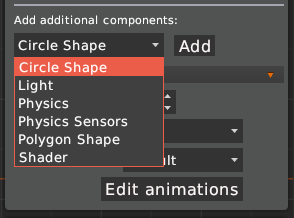
- Circle Shape: Adds a circular collision perimeter or boundary to the entity.
- Light: Enables the entity to emit light or act as a light source. For more details, see the Dynamic Lights documentation.
- Physics: Integrates the entity with the Box2D physics engine, allowing you to configure body type, density, and friction.
- Physics Sensors: Configures sensors to detect collisions without triggering a physical response (useful for triggers and zones).
- Polygon Shape: Allows for the definition of custom polygonal collision boundaries or shapes.
- Shader: Applies custom visual effects to the entity via GLSL Shaders.
Selection Tool

The Selection Tool is the default interaction mode. It is used to select entities in the Sandbox and edit their properties in the side panel.
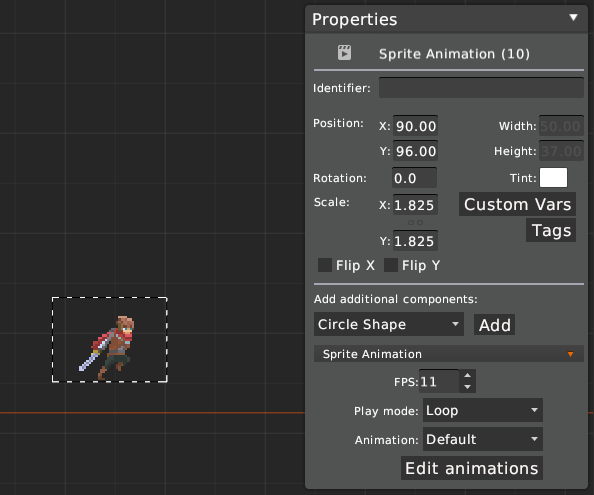
When an entity (like a Sprite Animation) is selected:
- Component Properties: You can manage specific settings, such as
FPS,Play mode(Loop, Random, etc.), and choose the default animation. - Animation Editor: A shortcut to the dedicated editor for managing frame sequences.
Transform Tool

The Transform Tool provides visual handles in the Sandbox to manipulate an object’s dimensions and orientation.
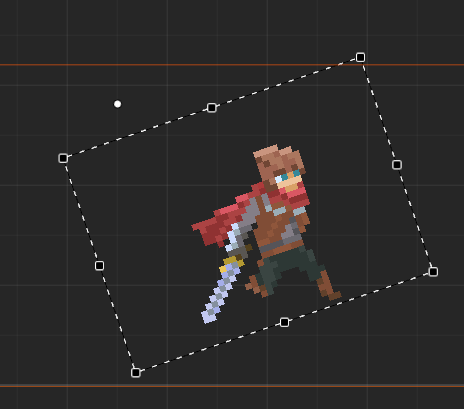
- Handles: Drag the corner squares to scale the object or the white circle handle to rotate it.
- Origin: The center of transformation can be visually adjusted to change the pivot point of rotations.
Polygon Tool

The Polygon Tool allows for the creation of custom shapes and meshes. This is particularly useful for complex collision bounds or custom-rendered areas.
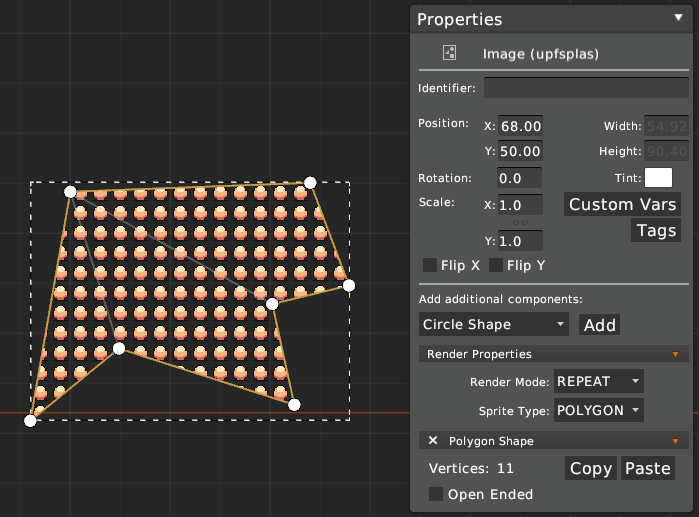
- Mesh Editing: You can visually move vertices in the Sandbox to define the shape.
- Polygon Shape Panel:
- Vertices: Displays the total count and allows for
Copy/Pasteof the vertex data. - Open Ended: Defines if the polygon is a closed shape or a path.
- Vertices: Displays the total count and allows for
- Render Properties:
- Render Mode: Choose between
REPEAT(tiles the texture inside the shape) orSINGLE. - Sprite Type:
SQUAREor set asPOLYGONto ensure the mesh renders the associated texture correctly.
- Render Mode: Choose between
Text Tool

The Text Tool is used to create and manage labels (Labels/UI text) within your compositions.
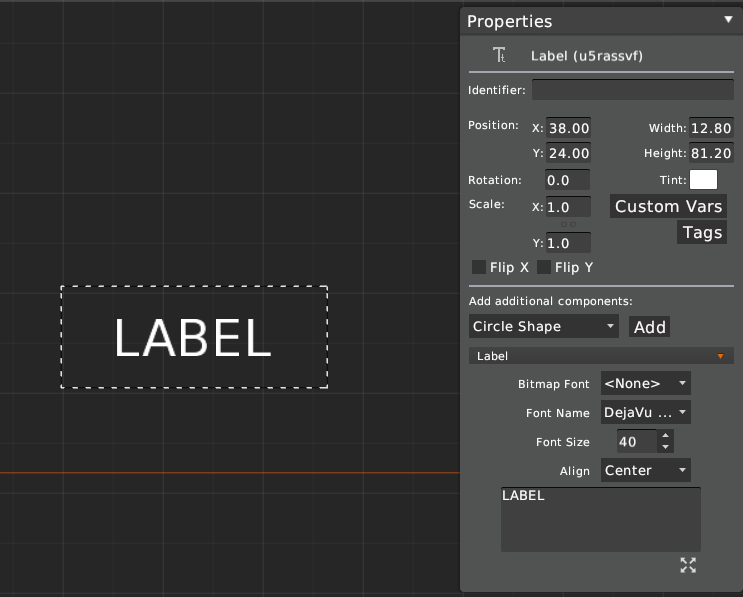
- Font Management: Supports both
Bitmap Font(pre-rendered) andFont Name(TrueType fonts). - Styling: Configure
Font SizeandAlign(Left, Center, Right). - Text Content: The large text area at the bottom allows you to input and edit the actual string displayed in the scene.
Lights Tool

The Lights Tool is used to place Point and Cone lights to create dynamic lighting and shadows.
For a detailed guide on how to configure ambient light, shadow casting, and light-specific properties, please refer to the Dynamic Lights documentation.